Housing Guide
Houses and shops can be rented in-game. Rent must be paid every 7 days to keep the property. This system ensures properties are actively being used.
Renting Properties
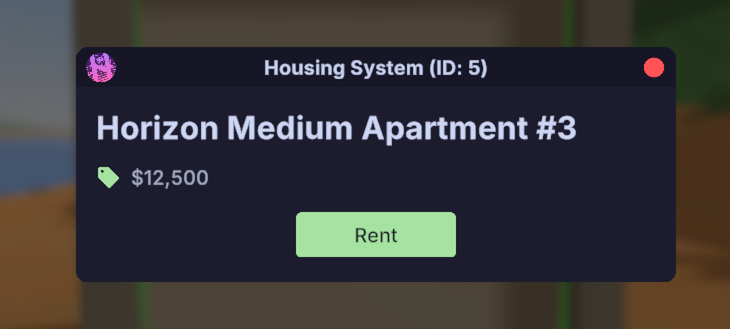
Right-punch a door to open the UI. If the property is available, you’ll see a "Rent" button — click it to claim the property. If it’s not available, it will show the current owner.
Once you’ve rented the property, use left-punch to open and close the doors.
Managing Properties
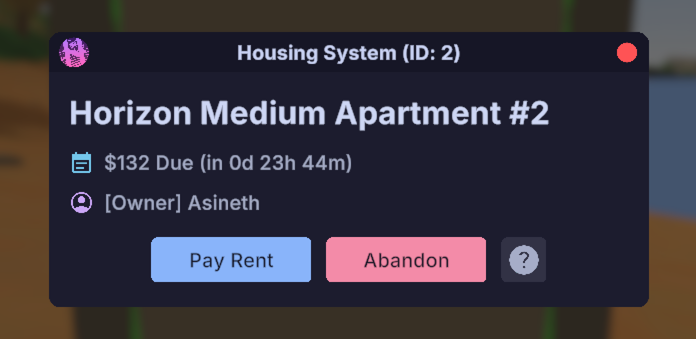
Right-punch any door of your property to access the management UI. From here, you can pay rent or abandon the property.
Clicking "Pay Rent" will reset your rent timer back to 7 days and pay your rent balance.
Take note of the ID: ### shown at the top of the UI — staff will need this if you ever request support.
Managing Members
Use the commands below while looking at any door on your property to manage members.
If you run into issues adding someone, try using their Steam64 ID.
/hs addmember <name|steam64>— Adds a member to the property/hs removemember <name|steam64>— Removes a member from the property/hs clearmembers— Removes all members from the property/hs listmembers— Lists all current property members/hs transfer <name|steam64>— Transfers ownership of the property to another player
Property Limits
Refer to the server rules for the most up-to-date information.
Each player can own a maximum of 3 properties, broken down as follows:
- Max 2 Residential Properties (house/apartment)
- Max 1 Private Property (hangar/warehouse/factory)
- Max 1 Commercial Property (shop)